
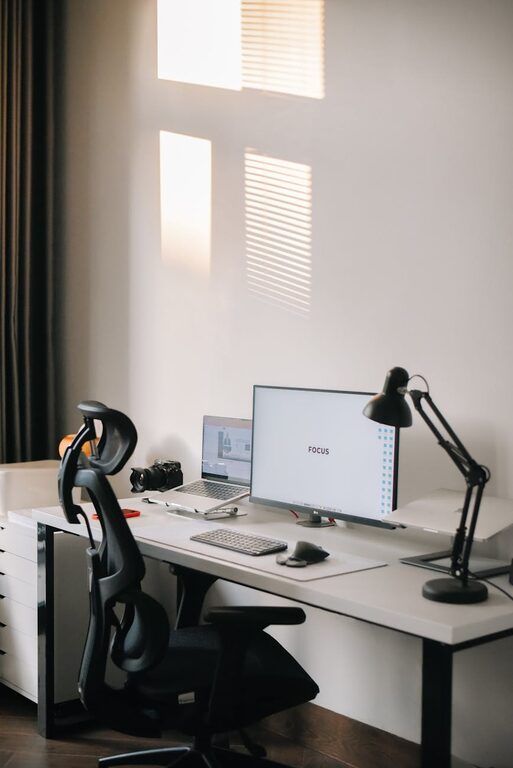
Creating a comfortable and efficient home workspace is essential, especially as more people embrace remote work and flexible schedules. A well-organized area helps reduce distractions, boosts focus, and improves productivity. In this guide, we’ll share practical tips for keeping your home workspace clutter-free and efficient.
Why Organize Your Home Workspace?
When your workspace is cluttered, it’s harder to focus and find what you need quickly. Disorganization can lead to stress and wasted time. By organizing your space and maintaining order, you set yourself up for success and create an environment where creativity and productivity thrive.
Steps to Organize a Clutter-Free Home Workspace
1. Choose the Right Location
– Select a dedicated area that’s quiet and away from distractions.
– Consider natural lighting to keep the space cheerful and comfortable.
– Ensure there’s enough room for your equipment and supplies.
2. Declutter Your Surface
– Clear your desk completely before putting anything back.
– Only keep essentials on your desk, such as your computer, a notebook, and writing tools.
– Store non-essential items elsewhere to maintain a clean surface.
3. Use Smart Storage Solutions
– Invest in drawers, shelves, or filing cabinets to keep supplies organized.
– Use desktop organizers for pens, sticky notes, and frequently used items.
– Label containers or drawers for easy identification.
4. Manage Cables and Electronics
– Use cable organizers or clips to keep cords tidy and out of the way.
– Place chargers, external drives, and headphones in a designated spot.
– Regularly disconnect devices you don’t use often.
5. Create Zones for Different Tasks
– If space allows, designate areas for computer work, paperwork, or crafting.
– Use trays or baskets for sorting mail, documents, or projects.
– Rotate the items in each zone based on your current priorities.
6. Prioritize Ergonomics
– Choose a comfortable, supportive chair.
– Position your monitor at eye level to reduce strain.
– Keep frequently used items within easy reach to avoid unnecessary stretching.
7. Develop a Cleaning Routine
– Spend 5–10 minutes at the end of each day tidying your workspace.
– Regularly wipe down surfaces to keep dust and germs away.
– Periodically reassess what you really need in your workspace.
8. Personalize Thoughtfully
– Add a small plant or inspiring artwork without overcrowding your desk.
– Keep personal items to a minimum to maintain focus.
– Use calming colors or decorations that enhance your mood.
9. Utilize Digital Tools
– Organize digital files consistently with folders and clear labels.
– Use task management apps to keep track of your to-do list.
– Schedule regular breaks and reminders to maintain productivity.
Tips for Maintaining a Clutter-Free Workspace Over Time
– Avoid accumulating paper by scanning important documents.
– Use a mail sorter to prevent bills and letters from piling up.
– Revisit your organizational system periodically and adjust as needed.
– Practice mindful purchasing—only buy items that will add value to your workspace.
Conclusion
An organized and clutter-free home workspace can make a significant difference in your daily work experience. By following these practical tips, you’ll create a space that supports focus, creativity, and efficiency. Remember, the key is to tailor your workspace to your personal workflow and habits, ensuring it remains a productive environment for the long-term.